Cross-reference hints
A cross-reference like @I8233@ tells you a record is linked to another, but not which one. The
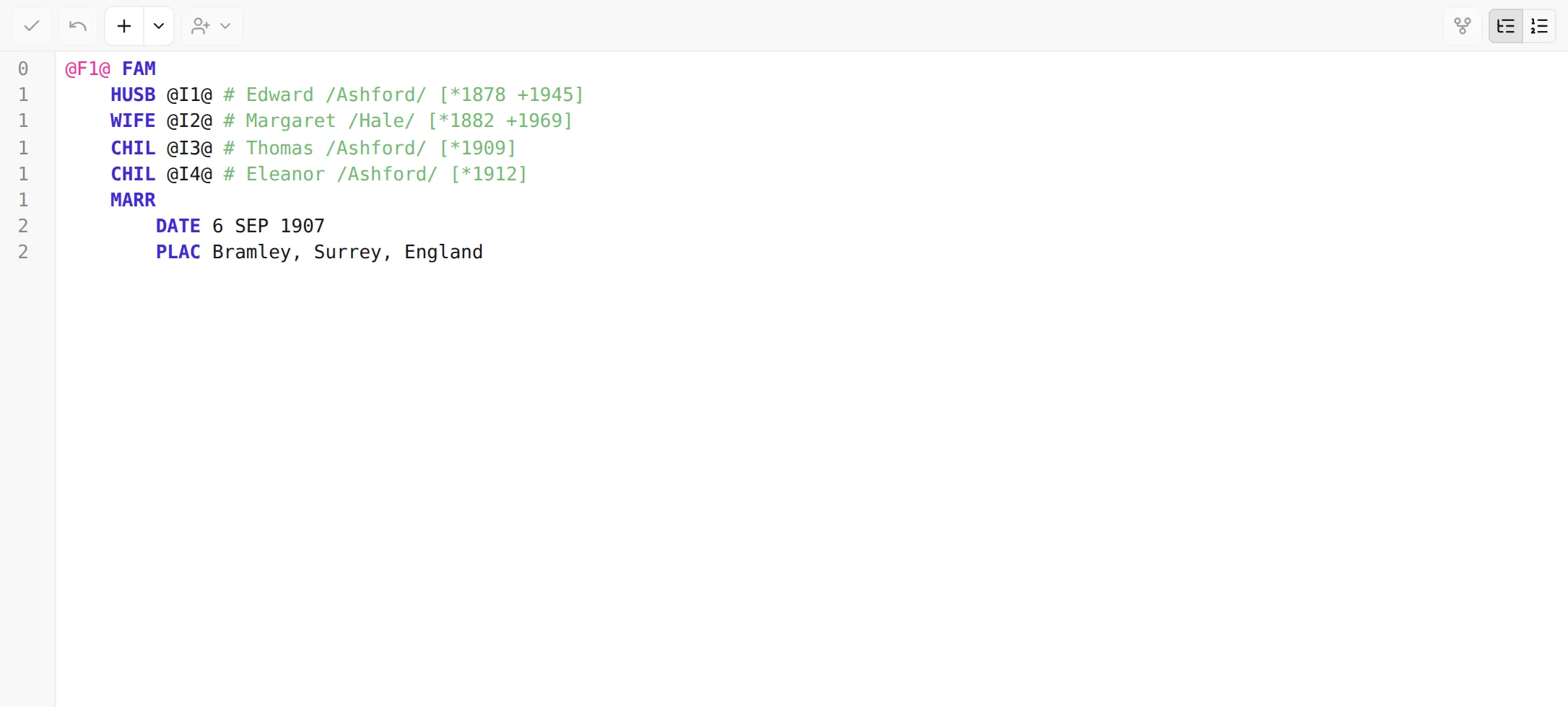
editor can fill that in for you: next to every pointer it shows a quiet inline hint with the name (or
title) of the record it points to, so you read who a link refers to without following it. A 1 HUSB @I8233@ line reads as Hans /Mueller/; a 1 SOUR @S4@ line shows the source’s title.
How they look
Section titled “How they look”The hint is rendered just after the pointer, in a muted colour so it never competes with the real
GEDCOM you’re editing. For a person it shows the name with their life years — birth, and death where
known — something like Hans /Mueller/ [*1900 +1974] (a person with only a birth year reads
[*1900]). For other records it uses the most identifying piece available (a source’s title, for
example).
The hints are display only — they aren’t part of your file and aren’t written to disk. You can’t click into one or select it; it sits beside the text purely to inform. Pointers that don’t resolve (a typo, or a deleted record) simply get no hint, which is itself a useful signal — and the validator reports the broken reference separately.
They appear next to every pointer, in both structured and raw modes.
A record’s own identifier on its top line (0 @I10@ INDI) is a declaration, not a pointer to
someone else, so it carries no hint. As you edit, the hints keep up: rename a record and the hints next
to every pointer that targets it update to match.
Turning them on or off
Section titled “Turning them on or off”Cross-reference hints are on by default. To change that, open Settings → Editor and toggle Show xref comments — its description reads Display human-readable annotations next to xref references in the editor. Turn it off for a stricter, text-only view of your GEDCOM; turn it back on whenever you’d rather read names than IDs.
Next: fix certain problems without leaving the editor — Quick-fixes →.