Syntax highlighting & indent guides
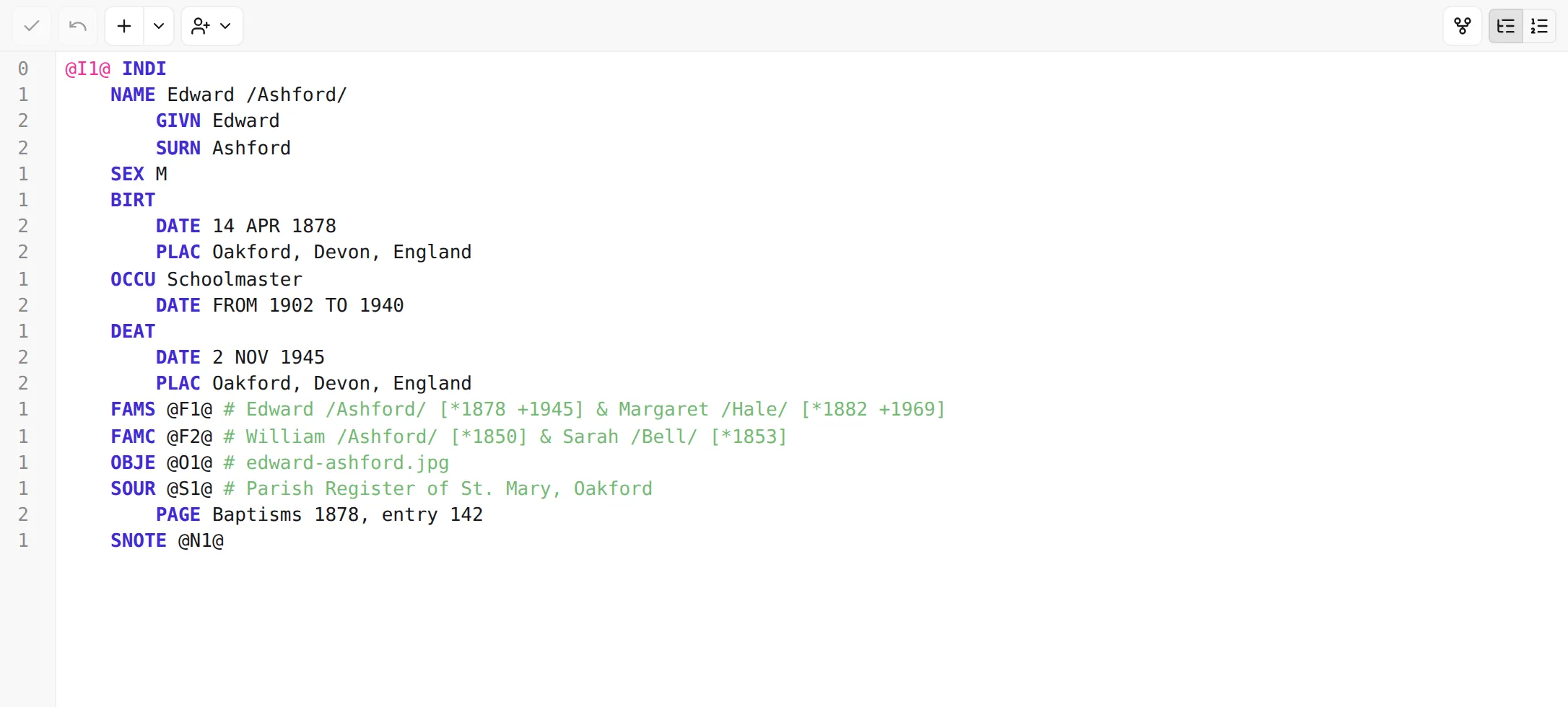
GEDCOM is plain text, but it isn’t featureless text. Every line has a level number, a tag, an optional cross-reference, and a value, and the editor colours each of these so the parts stand apart at a glance. Paired with the indentation that shows a record’s hierarchy, the colouring turns a wall of lines into something you can actually read.
What gets coloured
Section titled “What gets coloured”The editor tints each part of a line according to its role:
- Level numbers are dimmed — they’re structural scaffolding, not content, so they recede.
- Tags (
NAME,BIRT,DATE, …) stand out in the accent colour, so you can scan down a record by its tags. - Cross-references — a record’s own identifier (
@I12@on its top line) and the pointers that link to other records — get their own distinct colour. - Values — the actual text, names, dates, and notes — use the ordinary text colour, since that’s what you read most.
A line the editor can’t make sense of as GEDCOM is flagged with a wavy underline, so a stray character or a malformed line is easy to catch even before validation runs.
The colours are drawn from your current theme, so they adapt to light and dark mode and stay legible either way. There’s nothing to configure.
Seeing the hierarchy: indentation and the level gutter
Section titled “Seeing the hierarchy: indentation and the level gutter”A GEDCOM record is a tree — a name has parts beneath it, an event has a date and place beneath it — and the editor shows that shape two complementary ways:
- Indentation. In structured mode, each level is indented one step further than its parent (four spaces per level), so a child line sits visibly inside its parent. The deeper a line is nested, the further it’s pushed right.
- The level gutter. Down the left edge, the gutter prints each line’s GEDCOM level —
0,1,2, and so on — mirroring the indentation with the exact number. Together they make it unambiguous which lines belong to which: the indentation gives you the shape, the gutter gives you the number.
In raw mode the gutter switches to ordinary line numbers instead, because raw GEDCOM already carries its level number at the start of every line — there’s no indentation to guide, so a plain line count is more useful. (More on the two modes in Structured vs. raw modes.)
Next: let the editor help you type valid GEDCOM — Autocomplete →.