Structured vs. raw modes
The editor shows the same record two ways, and you can switch between them at any time. Both are fully editable and back onto the same content — the difference is how the GEDCOM is presented.
The two modes
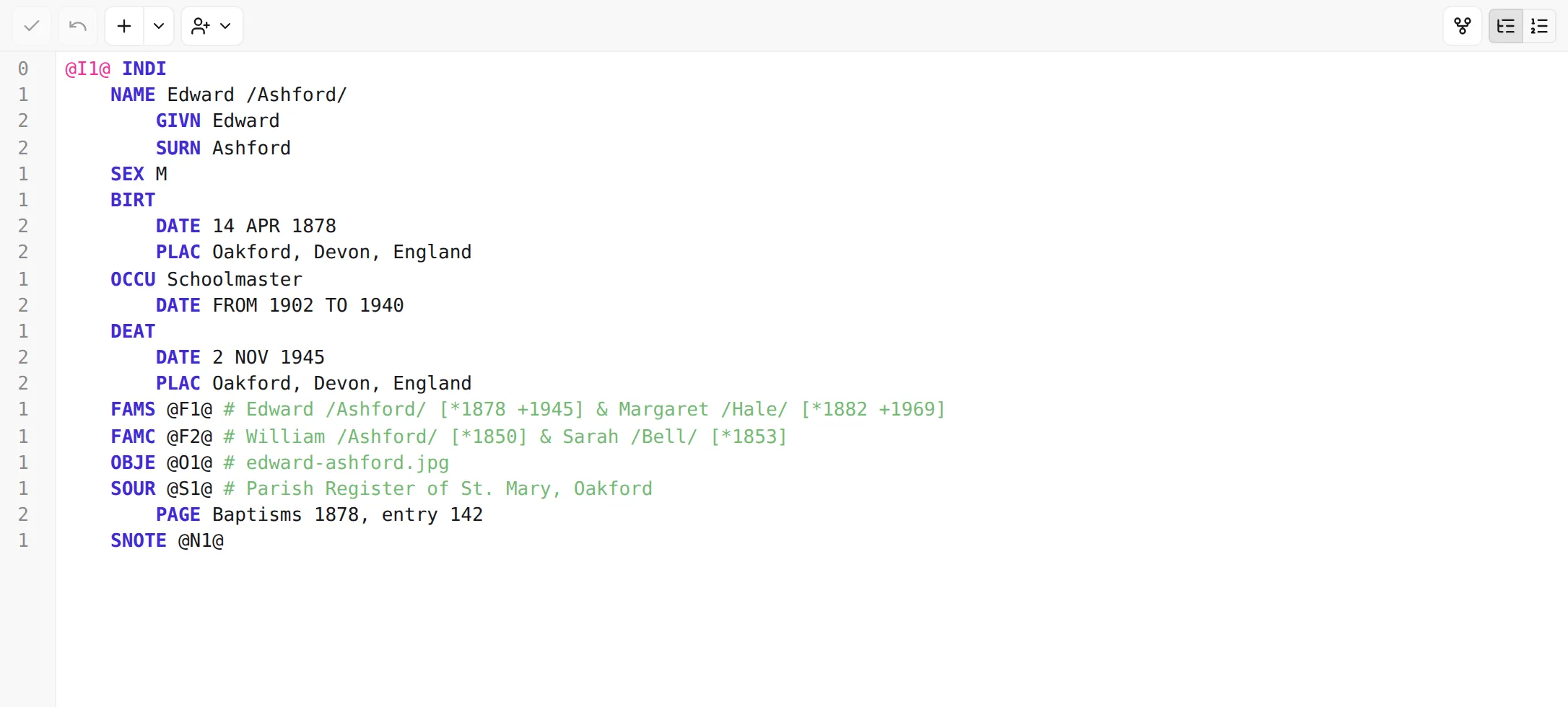
Section titled “The two modes”- Structured — an indented outline. Each level of the record is shown by its indentation rather than a leading number, so the shape of the record is easy to read at a glance: a name, with its parts nested beneath it; an event, with its date and place nested beneath that.
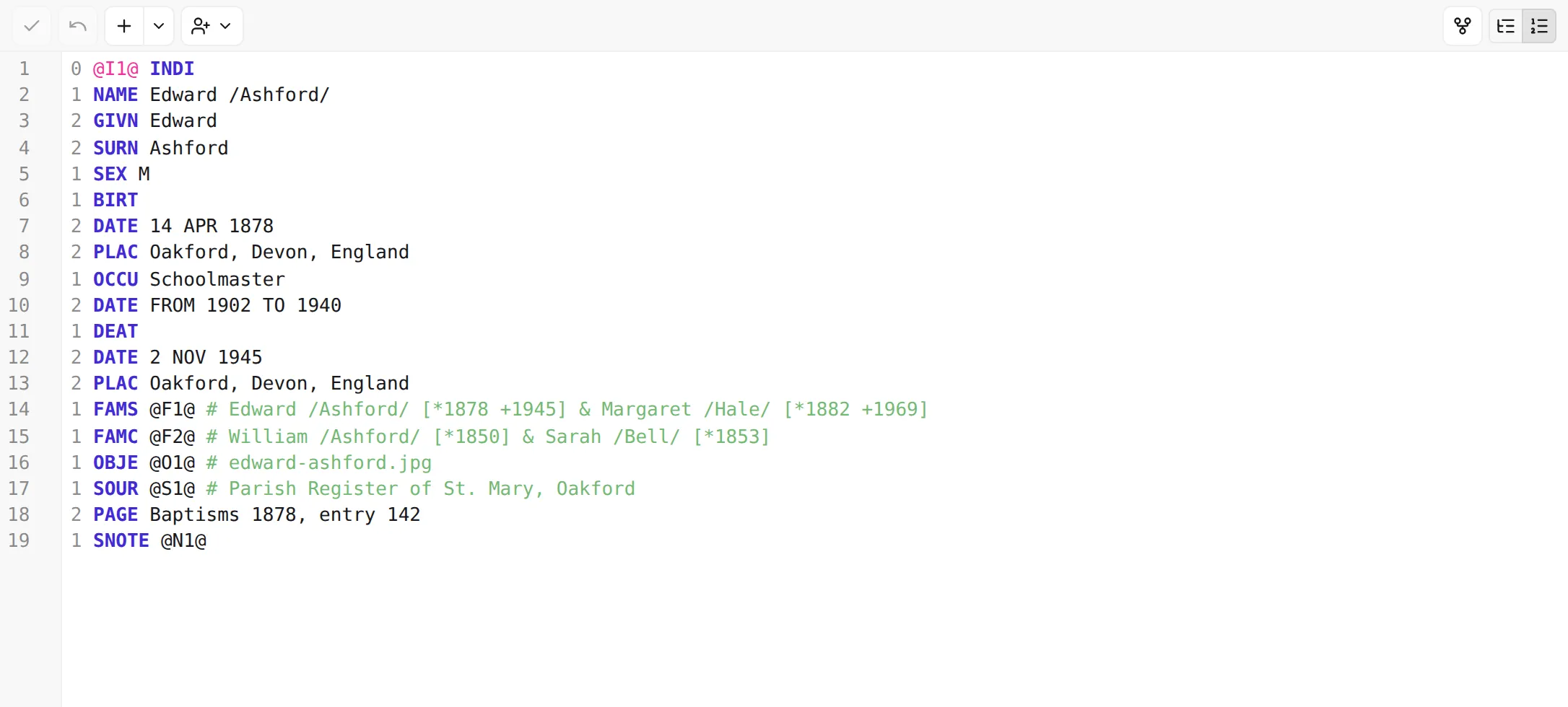
- Raw — the literal GEDCOM text, exactly as it’s stored: every line carries its level number,
tag, and value (
1 NAME John /Doe/,2 GIVN John, and so on).
The gutter down the left edge changes with the mode: in structured mode it shows each line’s GEDCOM level (0, 1, 2, …), reinforcing the indentation; in raw mode it shows ordinary line numbers.
Structured mode is the friendlier view for everyday editing; raw mode gives you the unfiltered text when you want to see — or type — every detail of the GEDCOM yourself. Use whichever suits the moment.
Switching modes
Section titled “Switching modes”Use the Structured / Raw toggle at the top-right of the editor. Your choice is remembered and applied to records you open afterwards, so you can settle on the view you prefer.
The two modes show the same content, so switching round-trips your applied record faithfully. If you switch while you still have unapplied edits in the draft, the editor confirms first — apply them and switch, or discard them and switch anyway — so an in-progress edit is never silently dropped. See Apply, discard & undo.
What works in both modes
Section titled “What works in both modes”Everything that makes the editor helpful is available whichever mode you’re in:
- Autocomplete suggests valid tags, values, and cross-references.
- Reference resolution lets you jump to a linked record.
- Validation underlines problems inline.
Next: let the editor help you type valid GEDCOM — Autocomplete →.