Reference resolution & navigation
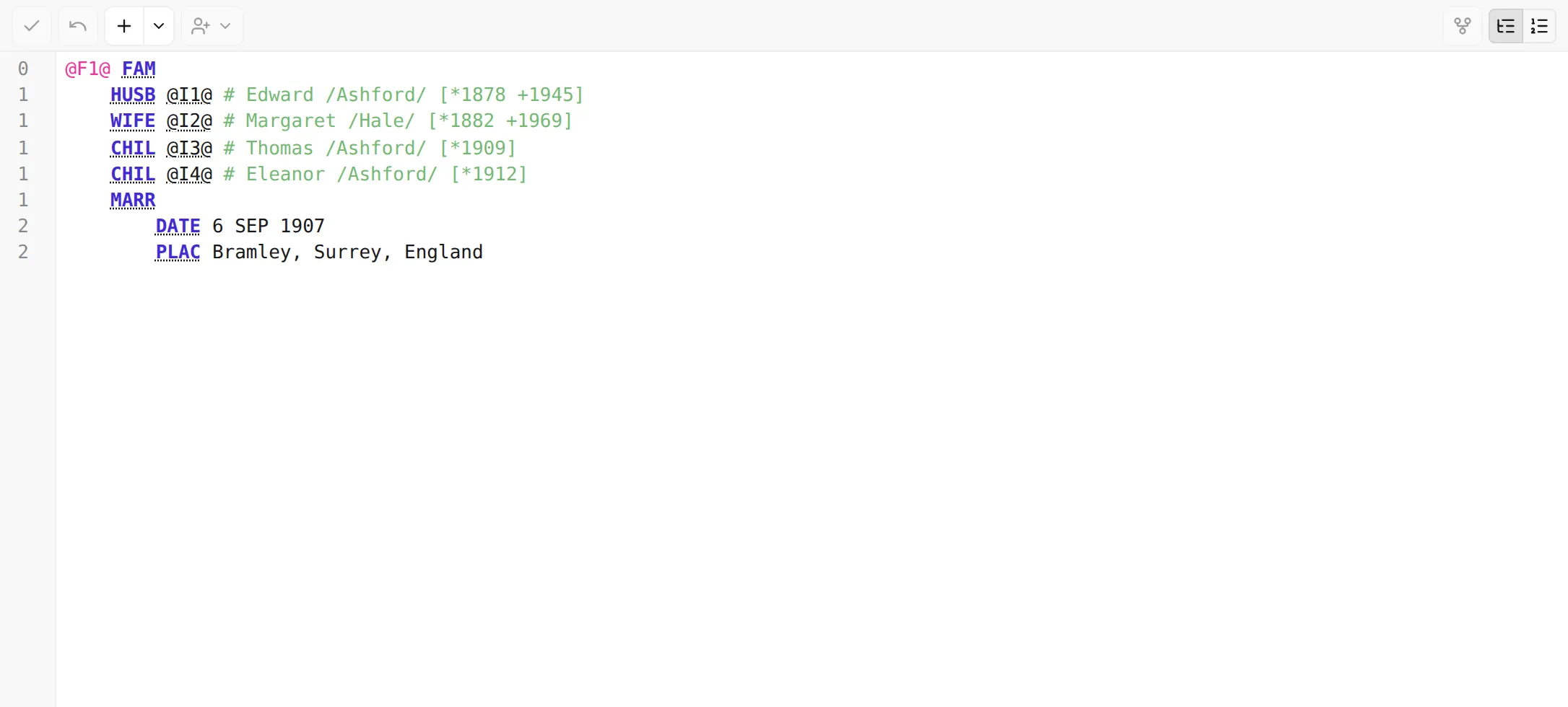
GEDCOM ties records together with cross-references — short pointers like @I12@ or @F3@ that
link a child to a family, a citation to a source, a person to a note. On their own those IDs are hard
to follow by eye. The editor turns them into links you can follow.
Jump to a referenced record
Section titled “Jump to a referenced record”Hold Cmd (macOS) or Ctrl (Windows / Linux) and the cross-references in the text become clickable links. Click one to jump straight to the record it points to — it opens in the editor and is revealed in the tree, and the jump is added to your navigation history so you can step back.
This works on the pointers — the places a record refers to another. A record’s own identifier on its top line isn’t a link to itself. And it works the same in both structured and raw modes.
Broken references stand out
Section titled “Broken references stand out”If a pointer refers to a record that doesn’t exist in your file, it can’t be followed — it’s shown struck through, so a typo or a deleted record is easy to spot. The validator also reports broken references in the validation panel.
Going the other way: what references this record?
Section titled “Going the other way: what references this record?”Following a pointer goes one direction — from the pointer to its target. To see the reverse — which records point at the one you’re looking at — open the Inspector and its References tab, which lists the inbound links grouped by kind (the families a person belongs to, the records that cite a source, and so on).
Next: when your edits are ready, commit them — Apply, discard & undo →.